
Vendion

    Focus on the guests.
    We'll handle the rest.

    A POS that's easy to learn. An AI that helps at the table. Scheduling, time tracking and tips — all on mobile. Vendion is built so your staff can deliver the best possible service.
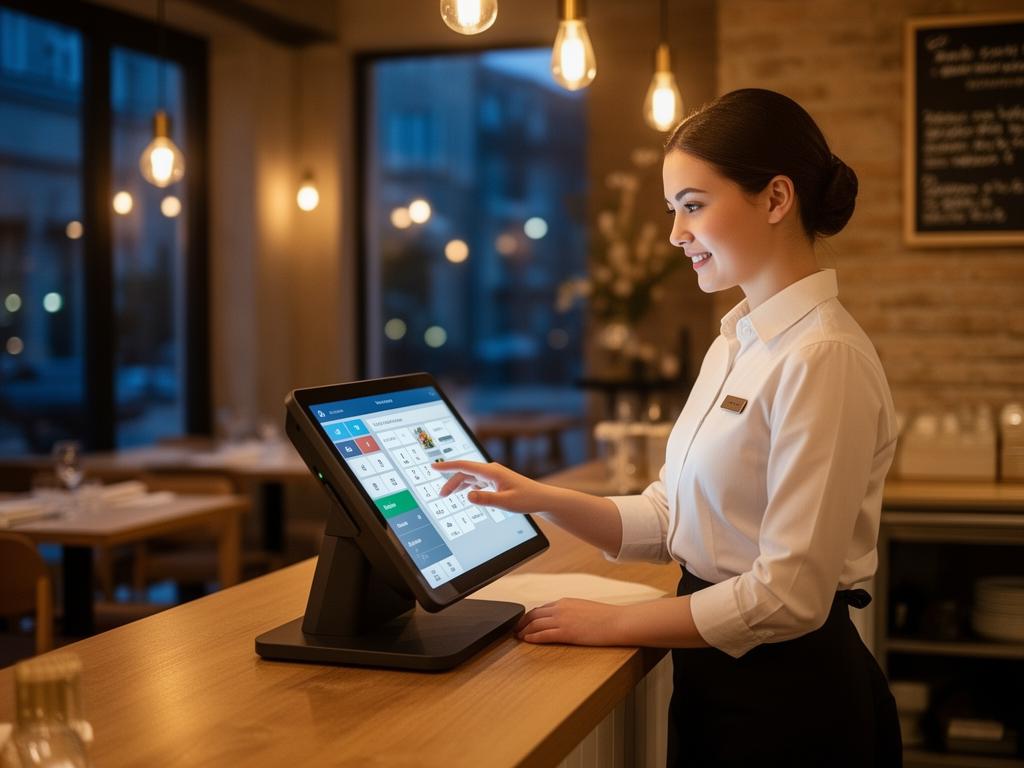
    Waiter in action at restaurant

    Day one. No problem.

    New staff should be able to take their first order in 5 minutes. Not after half a day of training. Vendion's POS is designed to be intuitive — not to have the most buttons.

    Few clicks, fast order

    From blank screen to sent order: under 3 clicks. The menu is visual with categories, images and search. No codes, no menu trees.

    Stationary or mobile

    Same POS, everywhere. Stationary at the counter, tablet at the table, phone on the patio. Exactly the same interface — learn one, know them all.

    Visual floor map

    See the entire restaurant at a glance. Which tables are waiting, which are almost done, where there's space. Color-coded and updated in real-time.

    A colleague who knows everything.
    And never has a bad day.

    AI Waiter sits in the POS and helps you in real-time. 79 tools — allergies, menu suggestions, wine pairing, split/park tabs, loyalty, gift cards, bookings and KDS. Ask and get answers in seconds. In the middle of service.

    AI Waiter · In the POS
    Table 6 has a nut allergy, what can they eat?
    14 dishes without nuts. Most popular: Grilled Salmon (329 SEK), Pasta Vongole (189 SEK), Fish & Chips (195 SEK). Avoid: Brownie, Pesto Pasta, Thai Salad, Nut-crusted Lamb Rack.
    Wine for the salmon?
    Sancerre 2024 (glass 145 SEK) — classic pairing. Or Chablis (155 SEK) for something richer. The Sancerre has better margins and is the most popular among guests this week.
    Split table 6 on 4 people and redeem Lisa's loyalty points
    Tab 843 SEK split evenly — 210.75 SEK/person. Lisa Andersson has 2,400 points (= 240 SEK). If I redeem on her share: 0 SEK. Stamp card 9/10 — next visit dessert on the house. Confirm?
    Allergen filter
    Ask which dishes are safe. AI filters the entire menu instantly — with allergy warnings from guest profiles.
    Wine pairing & upselling
    Suggests wine per dish and dessert at the right moment — with margin data so you sell smart.
    Guest history & Waiter Intel
    See the guest's previous visits, favorites, allergies and VIP status. Deliver personal service from the first "welcome".
    Full order flow
    Split, park, move table, refund, void, discounts and merged tabs — all via chat or buttons.
    Loyalty, stamp cards & gift cards
    Redeem points, stamp cards and gift cards directly on the tab. Sell new gift cards at the table.
    Bookings, cash & KDS
    See today's bookings and events, run X/Z reports, bump items in the kitchen queue — all from the same POS.
    Waiter Intel · Guest profile
    LA
    Lisa Andersson
    VIP · 7 visits

    Nut allergy

    Prefers white wine — Sancerre (4/7 visits)

    Favorite: Grilled salmon

    Average spend: 620 SEK

    Waiter Intel

    You know who's sitting
    at the table.

    When a guest with a reservation checks in, you see their full profile right in the POS. Name, number of visits, allergies, favorite dishes, VIP status. You never need to ask — you just know. It creates an experience the guest talks about afterwards.

    Friday 7:00 PM

    Lisa Andersson checks in. 7th visit.

    Nut allergy — the warning appears automatically.

    Prefers white wine — Sancerre ordered 4 out of 7 times.

    Favorite: Grilled salmon.

    → You welcome Lisa by name, mention the new salmon on the menu and ask about a Sancerre. Lisa smiles. "How did you know?"

    Schedule, time clock, tips.
    All on mobile.

    Staff have their own portal. View upcoming schedule, clock in and out, swap shifts, report absence — right from their phone. No paper slips. No trips to the office.

    View my schedule

    The full week's schedule on your phone. Push notification when a new schedule is published or a shift changes. You always know when you're working.

    Clock in & out

    Digital time clock. Open the app, tap "Clock in". Exact time is logged. No handwritten notes, no arguments about hours.

    Swap shifts

    Can't work Saturday? Send a swap request to a colleague right in the app. Manager approves. Schedule updates automatically.

    Report absence

    Sick? Childcare leave? Vacation? Report directly in the app. The manager is notified immediately and can act — not when you call at 6:30 AM and wake them up.

    Tips

    Transparent tips.
    No discussion.

    Tips are registered per transaction — card and cash. Distribution is calculated automatically based on hours worked. Every employee sees their tips. All transparent, all fair, no manual counting.

    Card and cash tips registered automatically
    Distribution based on hours worked
    Every employee sees their share
    Period reports (weekly, monthly)
    Included in payroll data
    Fixed tip percentages on the terminal (5/10/15%)
    Tip distribution — Week 11
    ML
    Marcus Lindqvist
    38 hours
    1,520 SEK
    LS
    Lisa Svensson
    32 hours
    1,280 SEK
    EA
    Emma Andersson
    24 hours
    960 SEK
    Total tips week 114,840 SEK
    Card: 3,780 SEK · Cash: 1,060 SEK

    A Friday night.
    With Vendion.

    4:00 PM — Clock in

    You open the app, tap "Clock in." Done. Time registered. You check the evening schedule — 6 staff, 22 reservations, 78 guests. You notice table 5 at 7 PM has a guest with a nut allergy. Prepared.

    5:30 PM — First guests

    The patio fills up. You take the mobile POS outside — take orders right at the table, send to kitchen, suggest an Aperol Spritz. No running indoors. The sun is shining, the guests are smiling.

    7:00 PM — Lisa arrives with a reservation

    The POS shows: Lisa Andersson, 7th visit, nut allergy, prefers white wine, VIP. You welcome her by name. Suggest the new salmon — nut-free. And a Sancerre. Lisa: "How did you know?" You: "We know our guests."

    8:15 PM — Rush. 78 guests. You ask AI.

    Table 9 asks about gluten-free. You ask AI Waiter: "Gluten-free starter?" Answer in 2 seconds: "Tuna Tartare (145 SEK), Chèvre Salad (125 SEK), Vitello Tonnato (165 SEK)." You never needed to leave the table.

    9:30 PM — Paid at the table. 10% tip.

    Table 5 wants to pay. You bring the mobile terminal to the table. 1,240 SEK. Tip options shown: 5%, 10%, 15%. The guest taps 10% — 124 SEK tip. Automatically registered to you. No manual math, no uncertainty.

    11:30 PM — Clock out. Home.

    Open the app. "Clock out." 7 hours 28 minutes logged. Tonight's tips: 680 SEK (your share). Unsocial hours premium after 8 PM calculated automatically. All done. You go home. No paperwork.

    You never need to
    shout at the kitchen.

    KDS shows tickets in real-time. You see in the POS when the food is ready. The kitchen sees your orders instantly. No running, no shouting, no misunderstandings.

    You send → Kitchen sees instantly

    You tap "Send" in the POS or mobile POS. The ticket appears on the kitchen KDS screen within 1 second. Whether you're at the counter or out on the terrace.

    Kitchen marks done → You see instantly

    The chef taps "Done" on the ticket. Your POS updates: "Table 7 — ready to serve." You know exactly when to pick up without checking.

    Guest orders via QR → You don't need to run

    A guest scans the QR code and orders via ChatOrder. The ticket goes to the kitchen directly. You see the order in the POS table view. You never needed to take the order.

    Mobile payment

    Pay at the table.
    More tips for you.

    With a mobile card terminal you take payment right at the table. Tip options appear on screen — 5%, 10%, 15%. The guest taps. Easier for the guest, more tips for you. Average: 40% more tips compared to asking verbally at the register.

    Ask verbally
    ~5%
    "Would you like to add a tip?"
    Terminal shows
    ~12%
    Buttons on screen: 5/10/15%
    Would you like to add a tip?
    5%
    62 kr
    10%
    124 kr
    15%
    186 kr
    Bill
    1,240 SEK

    Better tools.
    Better staff.

    Staff with good tools stay longer, perform better and deliver better service. This is what Vendion gives your staff — and what you get back.

    Faster onboarding

    New staff take their first order in 5 minutes. Not after half a day of training. Lower onboarding cost, faster to production.

    💰

    Higher average ticket

    AI Waiter always suggests dessert, wine and sides. Mobile POS enables upselling at the table. Average ticket increases by 15-20%.

    😊

    Happier staff

    Schedule on mobile, fair tips, clear time tracking, AI help at the table. Staff with good tools feel better — and stay longer.

    🎯

    Measurable performance

    In Analytics++ you see sales per server, upselling per person, hours worked and tips. Data to coach, reward and develop.

    Everything staff get access to.

    In the POS
    Intuitive ordering in under 3 clicks
    Visual floor map
    Mobile POS (tablet/phone)
    Split payment
    Tips with fixed percentages
    Park and resume bills
    KDS status visible in POS
    Reservations visible in POS
    AI, Guests & Tabs
    AI Waiter — 79 tools via chat
    Allergen filtering & allergy warnings
    Wine pairing & upselling
    Waiter Intel — guest profile at the table
    Split, park, move table, refund
    Loyalty & stamp cards — redeem on tab
    Gift cards — sell & redeem
    X/Z reports & cash reconciliation
    Staff portal
    View schedule on mobile
    Push notification on schedule change
    Clock in/out (digital time clock)
    Swap shifts with colleague
    Report absence (sick/vacation/childcare)
    View your tip distribution
    View hours worked
    Unsocial hours premium visible per period

    Give your staff
    the tools they deserve.

    Book a demo and see how Vendion makes every shift easier — for everyone.

    No lock-in. Switch anytime.