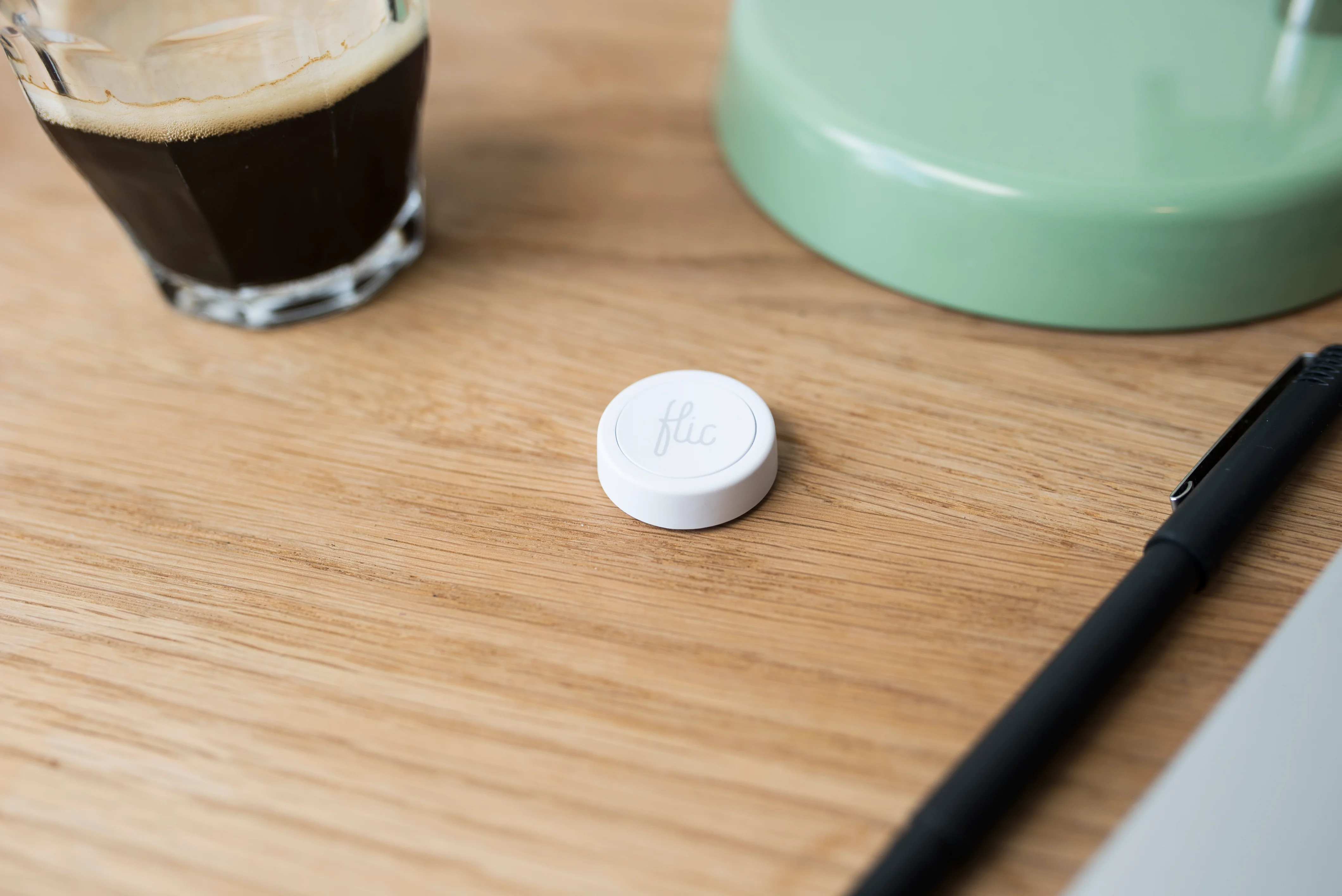
Vendion Magic Button: The Physical Button That Boosts Your Upselling

How can a physical button on the table increase restaurant sales and improve the guest experience?
The Vendion Magic Button is an elegant physical button placed on the table. With a single press, guests can order a pre-selected drink, call for service, or request the bill—without any apps or QR codes. The request lands directly in the POS system, resulting in faster service, higher average checks, and increased table turnover.
Picture a fully booked Friday night at your restaurant. The atmosphere is electric, the noise level is high, and your staff is moving quickly between tables. At table four, a group has just finished their drinks. They want another round. But your server is busy taking a large order at table twelve. The minutes tick by. The guests' impulse to order more drinks fades. When the server finally arrives, the guest simply says: "We'll just take the bill, please."
This scenario plays out in hundreds of restaurants every night. It is invisible revenue leakage and friction in the guest experience. The solution isn't necessarily more waiters, and it definitely isn't tired QR codes that force guests to stare at their phones. The solution is tactile, lightning-fast, and elegant.
Say hello to the Vendion Magic Button.
What is the Vendion Magic Button?
In an era where everything is expected to be digital and app-based, we are going against the grain to offer something extremely premium: a physical experience. The Vendion Magic Button consists of elegant, physical buttons (built on market-leading Flic technology from Swedish Shortcut Labs) placed directly on the tables, in the bar area, or at specific service stations.
This is not an AI feature trying to guess what the guest wants. It is not a predictive engine. It is a pure, immediate, and tactile trigger. A single press of the button triggers a specific, pre-configured action that lands directly in your POS—in the same system as everything else you do in Vendion.
No app needs to be downloaded. No QR code needs to be scanned. The guest presses a button, and the magic happens instantly.
Three Button Presses That Revolutionize the Guest Experience
Each Magic Button can be configured exactly to fit your restaurant's unique concept. You decide which table the button belongs to and what action it should trigger. Here are the three most powerful ways our restaurateurs are using the button in 2026:
1. The "One More Round" Button (Direct Ordering)
This is the ultimate upselling machine. You pre-configure the button for a specific product—for example, the house Champagne, a signature cocktail, or a round of your best-selling draft beer. When the guest presses the button, the drink is automatically added to the table's open tab, and a ticket is printed directly in the bar (or appears on the bar's KDS screen). Within two minutes, a new round is on the table. The impulse purchase is secured, and the guest feels like a VIP.
2. Call for Service
In larger venues, on patios, or in private dining rooms, it can be difficult for guests to get the staff's attention. By configuring the button for service, an immediate notification is sent to the staff's mobile devices or the POS: "Table 12 needs service". The guest doesn't have to wave, and the staff can work proactively instead of reactively.
3. Request the Bill
One of the biggest annoyances for a restaurant guest is having to wait to pay. With the button set to "Request Bill", the staff immediately receives a notification: "Table 12 wants to pay". The server can walk straight to the table with the card terminal ready.
Concrete Numbers: How Your Profitability is Affected
Let's talk data. Friction kills sales. When you remove the barrier to ordering more drinks, we see a dramatic effect on the average check. Restaurants using the Magic Button for direct beverage ordering report an average 15–22% increase in beverage sales on tables where the button is active.
But the hidden profit lies in table turnover. Cutting the wait time to get the bill saves an average of 7 to 12 minutes per seating. If you have 40 tables and do two seatings per night, those saved minutes mean you can squeeze in three to five extra parties during a weekend evening. Translate that into your average check, and the button has paid for itself within the first hour of Friday service.
Tactile Premium Feel in a Digital World
We know that many premium restaurants and à la carte venues despise QR codes. Forcing the guest to take out their mobile phone, squint at a screen, and punch in their card details kills the vibe. It draws attention away from their company and the food.
The Vendion Magic Button does the exact opposite. The physical button is a conversation starter. It feels exclusive. It encourages interaction in the physical space. The guest feels a sense of power and control over their experience, while your staff gets exactly the digital information they need straight into the POS system.
Seamlessly Integrated into Vendion 360
As always with Vendion, everything is built on our powerful Order module—the very foundation of the platform. The Magic Button is a licensed hardware module that integrates flawlessly with your existing setup. You manage everything in the same system. When the button is pressed, the POS knows exactly which table it is, and the revenue lands in your Analytics module just like a regular order.
You can also change the button's function whenever you want. Maybe it's a "Coffee & Cognac" button during lunch and an "Espresso Martini" button during late nights? You have full control.
With Vendion 360, you get all the modules you need to run a modern restaurant, and as always, we operate completely without lock-in contracts. We believe you stay because the system helps you make more money, not because a contract forces you to.
Are you ready to let your guests press the button for increased profitability? The Vendion Magic Button is ready for your dining room.
Ready to try Vendion?
Book a demo, give us a call or get started directly. One platform. All support. Zero hassle.
No lock-in. Switch whenever.